Auto repair shop software

Run the whole repair visit — from check-in to keys back in the customer’s hand.

For independent auto repair and service shops. A complete shop management application covering appointments, check-in, inspections, estimates and approvals, repair orders, invoices and payments — ready to be tailored to your shop.

Built for

  • Independent repair shops
  • Service centers
  • Tire & brake shops
  • Fleet maintenance
  • Specialist garages

Demo application

AutoPilot — Auto repair shop management

Shop management for independent auto repair: booking and check-in, digital inspection, estimates with customer approval, the repair, the invoice and payment — with service history and reports for the owner.
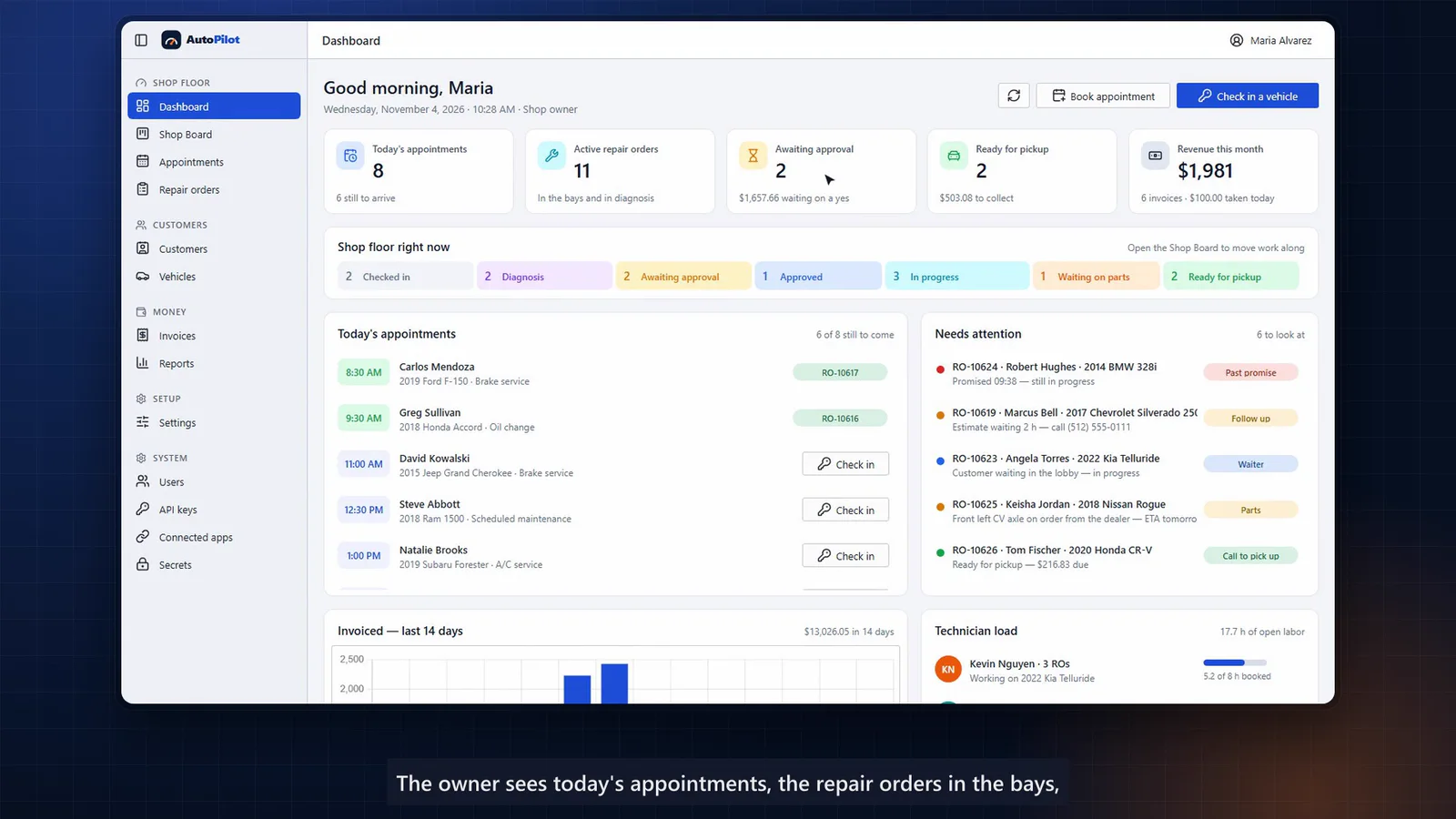
The shop floor at a glance

Every vehicle is a card in the column of its stage, with the customer, the value of the work, the technician and the promised time. Drag a card and the work moves on.

A service calendar that knows your shop

Drag to reschedule or book; opening hours and each technician’s schedule are checked as you book.

Check-in in seconds

Odometer reading, the concern in the customer’s own words, a service from the menu — and the repair order opens.

Inspection to priced job in one click

A 20-point inspection rates each item OK, soon or now. One click turns a finding into a job with labor at the shop’s rate and the parts it needs.

Job-by-job approval with signature

The customer approves or declines each job and signs on screen. Who authorized the work, how and when stays with the repair order.

Numbers the owner cares about

Revenue by labor, parts and fees, average repair order, billed hours, effective labor rate, open work by stage and technician productivity.

  • Shop board
  • Appointments
  • Customers & vehicles
  • Repair orders
  • Inspections
  • Estimates & approvals
  • Invoices & payments
  • Reports
Screens, chapters & transcript

Shown with a fictional shop, “Northside Auto Care”. This is a demonstration application and a customizable starting point — not a customer deployment.

Typical workflows

What an auto repair shop application can cover.

01

Customer & vehicle records

Customers, vehicles, plates, mileage and a complete service history per vehicle.

02

Repair orders

Check-in, concerns in the customer’s words, services from a menu and a shop board by stage.

03

Inspections

Multi-point inspections with ratings, readings and notes that become priced jobs.

04

Estimates & approvals

Labor, parts, fees, shop supplies and tax, approved job-by-job with a signature.

05

Parts & inventory

Parts on jobs and estimates today — inventory, ordering and supplier integrations can be added.

06

Invoicing & payments

Itemized invoices as PDF, payments recorded at the counter, and reports for the owner.

Make it yours

Customize the demo — or start fresh.

Use the demonstration as a proven starting point and we adapt it to your workflows, terminology, data and brand. If your needs are different, we design and build a new application instead.

  • Your service menu, labor rates and fee rules
  • Inspection templates for your shop
  • Parts inventory and supplier ordering
  • Text or email approvals and status updates
  • Online appointment booking
  • Accounting and payment integrations
  • Fleet accounts and multi-location support
  • Your branding on documents and screens
Automation recipes

Automations that pair well with auto repair shop software.

All automation recipes
No AI required

Scheduling & Operations

Send appointment confirmations and reminders

Confirmations when booked, reminders before the visit, and easy rescheduling.

  1. 01Appointment booked
  2. 02Send confirmation
  3. 03Reminder before visit
  4. 04Confirm / reschedule
No AI required

Sales & CRM

Follow up on outstanding quotes

Polite, timely follow-ups on quotes that have not been accepted yet.

  1. 01Quote sent
  2. 02Wait N days
  3. 03Still open?
  4. 04Send follow-up
  5. 05Remind salesperson
No AI required

Accounting & Finance

Send payment reminders

Friendly reminders before and after invoices are due — escalating only when needed.

  1. 01Invoice due soon
  2. 02Send reminder
  3. 03Overdue?
  4. 04Follow-up sequence
  5. 05Escalate
No AI required

Customer Support & AI

Missed-call follow-up

A missed call triggers an immediate text back and a call-back task for your team.

  1. 01Missed call
  2. 02Send text-back
  3. 03Create call-back task
  4. 04Track outcome
Questions

Frequently asked

Is AutoPilot a commercial product we can subscribe to?

AutoPilot is a working demonstration of what we build for repair shops. We customize it for your shop or build a new application — the result is software shaped around your process.

Can it work with parts suppliers or our accounting system?

Supplier catalogs, parts ordering and accounting systems can be integrated where they offer an API or data exchange. We assess this together at the start of the project.

Can technicians use it on the shop floor?

Yes — the demo includes role-based access where technicians use the shop board and repair orders, while invoices, reports and settings stay with the service desk and the owner.

Let’s shape software around your auto repair shop business.

Tell us about your workflows and the systems you use today. We’ll come back with practical options.